
Install
Setup program (x64). Installs for your user only, no admin needed.
DownloadFlarebox_0.2.1_x64-setup.exeSHA-256 2dec5a103ca7569b1ed13bbb8e0f7bb17a0421c09fe2e3986e81aeb44dbd83bc
Windows Installer package (x64). Installs for all users and needs admin. Use it for Intune, Group Policy or other managed deployment.
DownloadFlarebox_0.2.1_x64_en-US.msiSHA-256 3c8d3eb32e9eec1fb2e1dea137a9a19ef82f88c40e680abcb5dbc499b92de1c3
A Debian / Ubuntu package (apt install ./file). Installs its WebKitGTK dependency; updates come as a new download.
DownloadFlarebox_0.2.1_amd64.debSHA-256 96b3e5490041cc1f6cdb9d2b2134b33cd4038ca3bd59649ea7b02d037d2f04fa
Released 2026-10-16 · Release notes · SHA256SUMS.txt
Requirements
Section titled “Requirements”- Windows 10 or 11, x64, with WebView2 (Windows 10 and 11 already include it), or
- Linux x86_64 with WebKitGTK 4.1 (Ubuntu 22.04+, Debian 12+, Fedora 39+ and similar). Tokens are kept in the Secret Service (GNOME Keyring or KWallet).
- Node.js on your
PATH, for local Workers projects. Flarebox checks withnode --versionat start and tells you if it’s missing. Not needed for the Cloudflare account views. - wrangler comes from each project: Flarebox runs the project’s own
node_modules/wrangler, and falls back tonpx --yes wrangler. - cloudflared, only if you want to run tunnels. Flarebox doesn’t install it. See Tunnels.
Setup or MSI?
Section titled “Setup or MSI?”Setup (.exe) |
MSI | |
|---|---|---|
| Installs for | Your user only | Every user on the machine |
| Admin rights | Not needed | Needed |
| Installs to | %LOCALAPPDATA%\Flarebox |
Program Files |
| Best for | Your own PC | Managed rollout: Intune, Group Policy, msiexec scripts |
Both install the same app. Settings and data live in your user profile either way (see Files and settings).
Install
Section titled “Install”- Download
Flarebox_0.2.1_x64-setup.exeand check its SHA-256. - Run it. If SmartScreen says “Windows protected your PC”, click More info → Run anyway (why).
- Follow the installer. It needs no admin prompt.
- Start Flarebox from the Start menu.
Silent install, for scripts:
.\Flarebox_0.2.1_x64-setup.exe /S- Download
Flarebox_0.2.1_x64_en-US.msiand check its SHA-256. - Double-click it and approve the admin prompt, or install from an elevated terminal (below).
- Start Flarebox from the Start menu.
Silent install with a log, from an elevated terminal:
msiexec /i Flarebox_0.2.1_x64_en-US.msi /qn /l*v flarebox-install.logFor Intune, add it as a line-of-business app with the MSI. The product’s upgrade code is 60495619-726A-583F-8849-88BDE60D652F, so later MSIs replace this one rather than installing alongside it.
sudo apt install ./Flarebox_0.2.1_amd64.debflareboxapt installs the WebKitGTK dependency. Updates install through Settings → Updates like on Windows (the system asks for your password to install the new package). An AppImage for other distributions is built too, but at 86 MB it’s larger than pqdoctor.com can host per file; ask at hi@kalyangopalam.com if you need it.
On Linux, dev servers run in their own process group, so stopping a server or quitting Flarebox takes the whole node → workerd tree down, as Job Objects do on Windows. Flarebox for Linux was built and tested in WSL (Ubuntu 24.04); report anything that behaves differently on your desktop.
First start
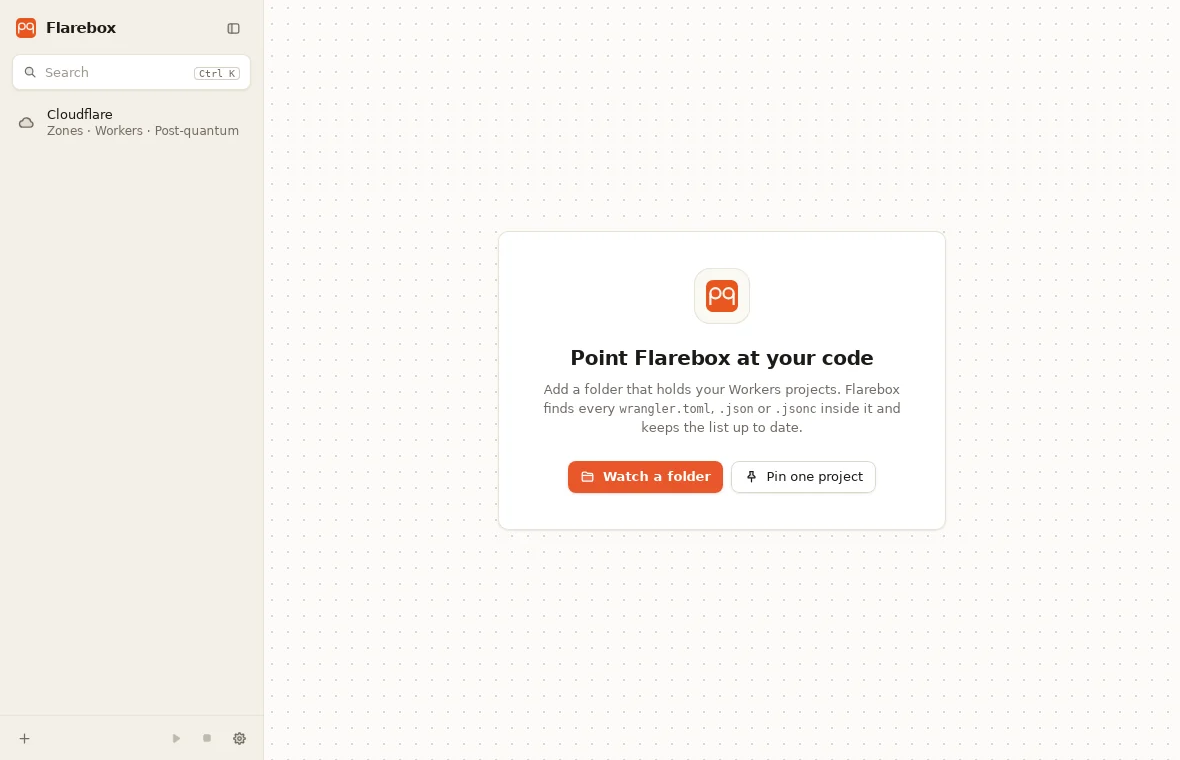
Section titled “First start”- The window opens on your projects. The first time, there are none: Add → Watch a folder… points Flarebox at the folder you keep code in. See the quickstart.
- Starting Flarebox again while it’s running just brings the existing window forward. Only one copy runs.
- Closing the window keeps it running in the tray, along with any dev servers. Quit Flarebox from the tray menu stops every server, tunnel and task, then exits.
Updating
Section titled “Updating”From 0.2.1, Flarebox updates itself, and always asks first:
- When Flarebox starts, it reads one file,
https://pqdoctor.com/updates/flarebox.json, and a banner says if a newer version exists. Turn this off in Settings → Updates → Check for updates when Flarebox starts; Check for updates there works either way. - Settings → Updates shows the new version and its notes. Install and restart… asks once more: Flarebox closes, running dev servers and tunnels stop.
- The installer is downloaded and its signature checked against Flarebox’s own key before anything runs. A file that doesn’t verify is refused. Then the installer runs and Flarebox opens again.
Your settings, history and tokens are kept, because they live in your profile, not the install folder. Coming from 0.2.0, which has no updater: install 0.2.1 by hand once, over the current one; after that, updates come through the app. On Linux the update is the new .deb, installed with your password.
Uninstall
Section titled “Uninstall”Settings → Apps → Installed apps → Flarebox → Uninstall, or run %LOCALAPPDATA%\Flarebox\uninstall.exe.
Settings → Apps → Installed apps → Flarebox → Uninstall, or from an elevated terminal:
msiexec /x Flarebox_0.2.1_x64_en-US.msi /qnUninstalling removes the app. To remove everything else too:
- Delete
%APPDATA%\Flarebox: settings, deploy history, snapshots and the local Cloudflare store. - Open Credential Manager → Windows Credentials and remove the entries for Flarebox (
cloudflare-api-readandcloudflare-api-write), if you stored tokens. - Optionally, delete the tokens themselves in the Cloudflare dashboard (My Profile → API Tokens).