
Tunnels and Access
Expose localhost on a hostname
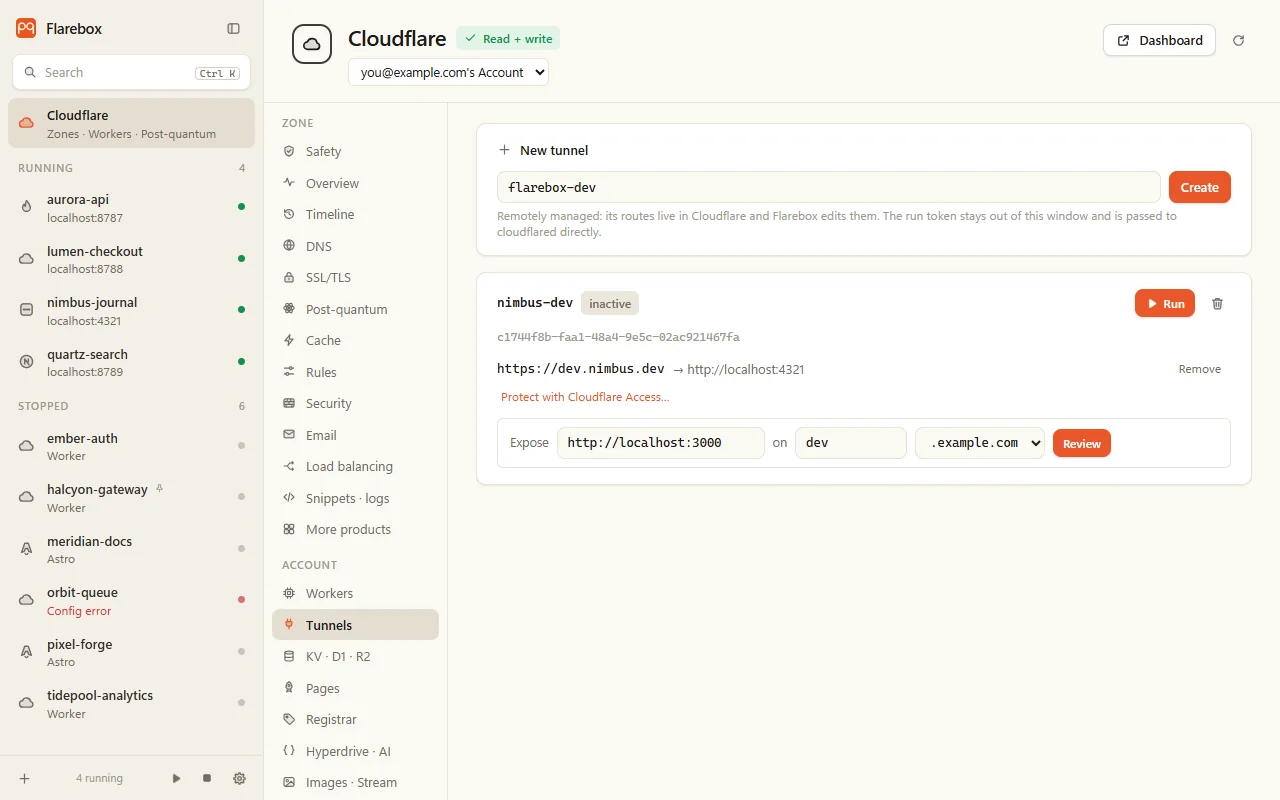
Section titled “Expose localhost on a hostname”- Under New tunnel, name it and click Create. It’s a remotely managed tunnel.
- On the tunnel, fill in Expose: a local service such as
http://localhost:3000, a name, and the zone. - Click Review. The plan is the ingress rule plus a proxied CNAME to
<id>.cfargotunnel.com, as one change. It warns that the service becomes public unless it’s behind Access. - Confirm, then Run the tunnel.
If the DNS step fails, the ingress rule is put back. Undo removes both.
Running cloudflared
Section titled “Running cloudflared”Run starts cloudflared from Flarebox:
- The tunnel’s run token goes from Cloudflare straight into cloudflared’s
TUNNEL_TOKENenvironment variable. It never goes on a command line or to the window, and it’s scrubbed from the output. - cloudflared runs in a Windows Job Object. Its output shows live, and it stops when you quit Flarebox.
cloudflared
Section titled “cloudflared”Flarebox doesn’t download or install cloudflared. Install it yourself:
winget install --id Cloudflare.cloudflaredFlarebox looks for it in this order: the FLAREBOX_CLOUDFLARED environment variable, your PATH, Program Files\cloudflared, then winget’s links folder. Without it you can still create and route tunnels; running one needs it.
Protect with Cloudflare Access
Section titled “Protect with Cloudflare Access”On a route, Protect with Cloudflare Access… creates a self-hosted Access application with one allow policy: the emails and @domains you list, and a session length. The route then shows “behind Access” with its rules, and Remove Access.
Only a hostname that’s a route of that tunnel, on the zone, and not already behind Access. Undo deletes the application; undoing that puts the same rules back.
Tunnels for post-quantum
Section titled “Tunnels for post-quantum”On the Safety page, an origin that isn’t post-quantum gets Put … behind a Tunnel, which opens Tunnels with the hostname filled in. The tunnel from the server to Cloudflare uses post-quantum key agreement, so the hop that leaves your network is protected even if the server isn’t.
Deleting a tunnel
Section titled “Deleting a tunnel”Irreversible. Needs the tunnel name typed, and its connections are cleaned up first.